Student billing communications, now easier to see, edit, and trust

Clear student communications are one of the biggest reasons schools tell us they value Meadow. In a recent survey, several partners said what sets Meadow apart is how we communicate with students. As one Director of Student Financial Services put it, “Meadow feels approachable, communicates clearly, in a space that is difficult and often challenging.”
But even the best communications experience can get better. So we rebuilt the campaigns page—the place where admins manage every one of those communications—from the ground up.
Adjust communications yourself when plans change
Student billing timelines don't always go according to plan. Charges may not be finalized. Financial aid may still be pending. A bill date may need to move. And when that happens, the communications scheduled around it often need to move, too.
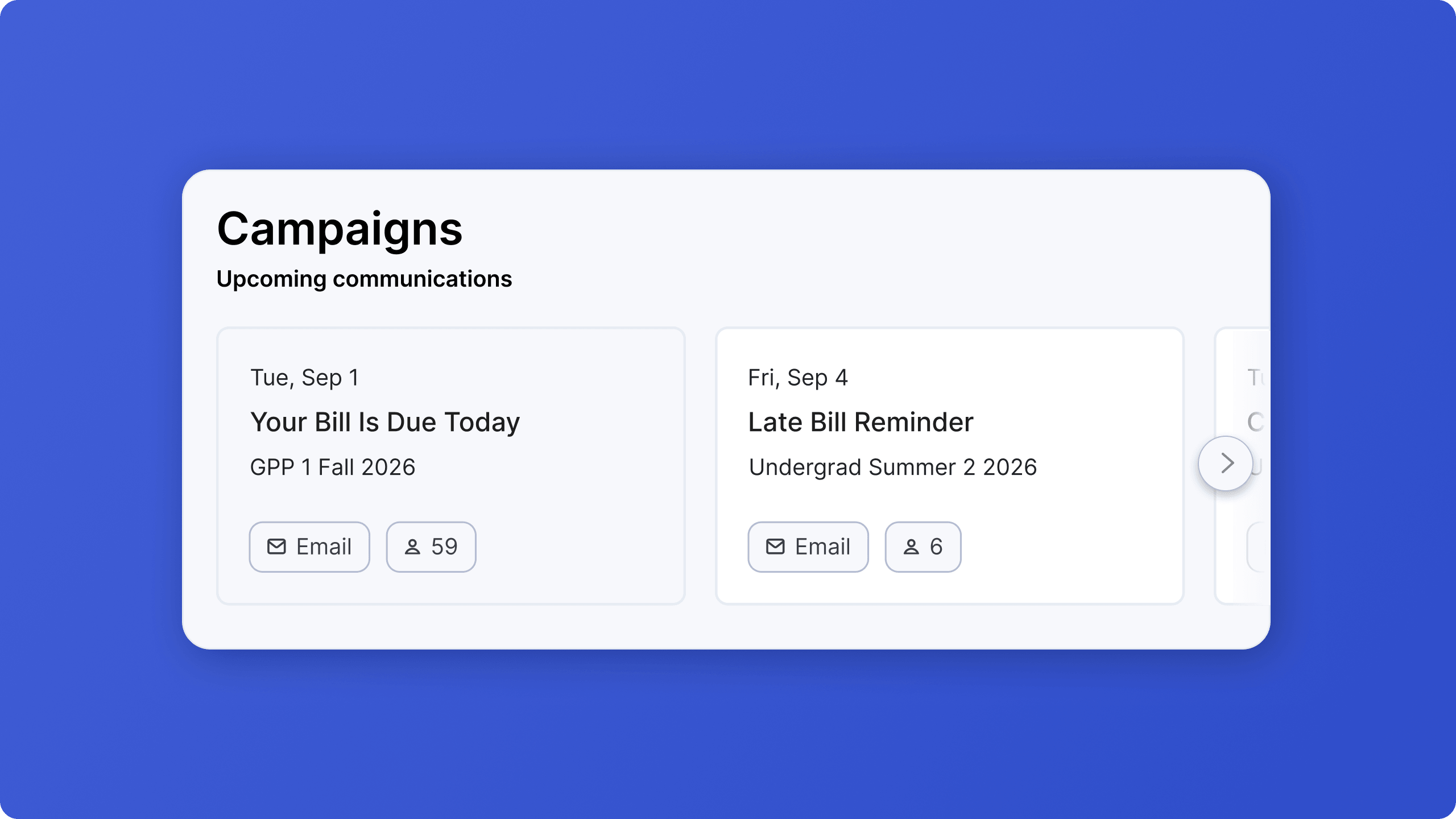
The campaigns page now opens with a carousel of upcoming communications, so you can quickly see what's scheduled, what type of message is going out, and how many students will receive it.
From there, you can jump directly into any campaign and make changes yourself.
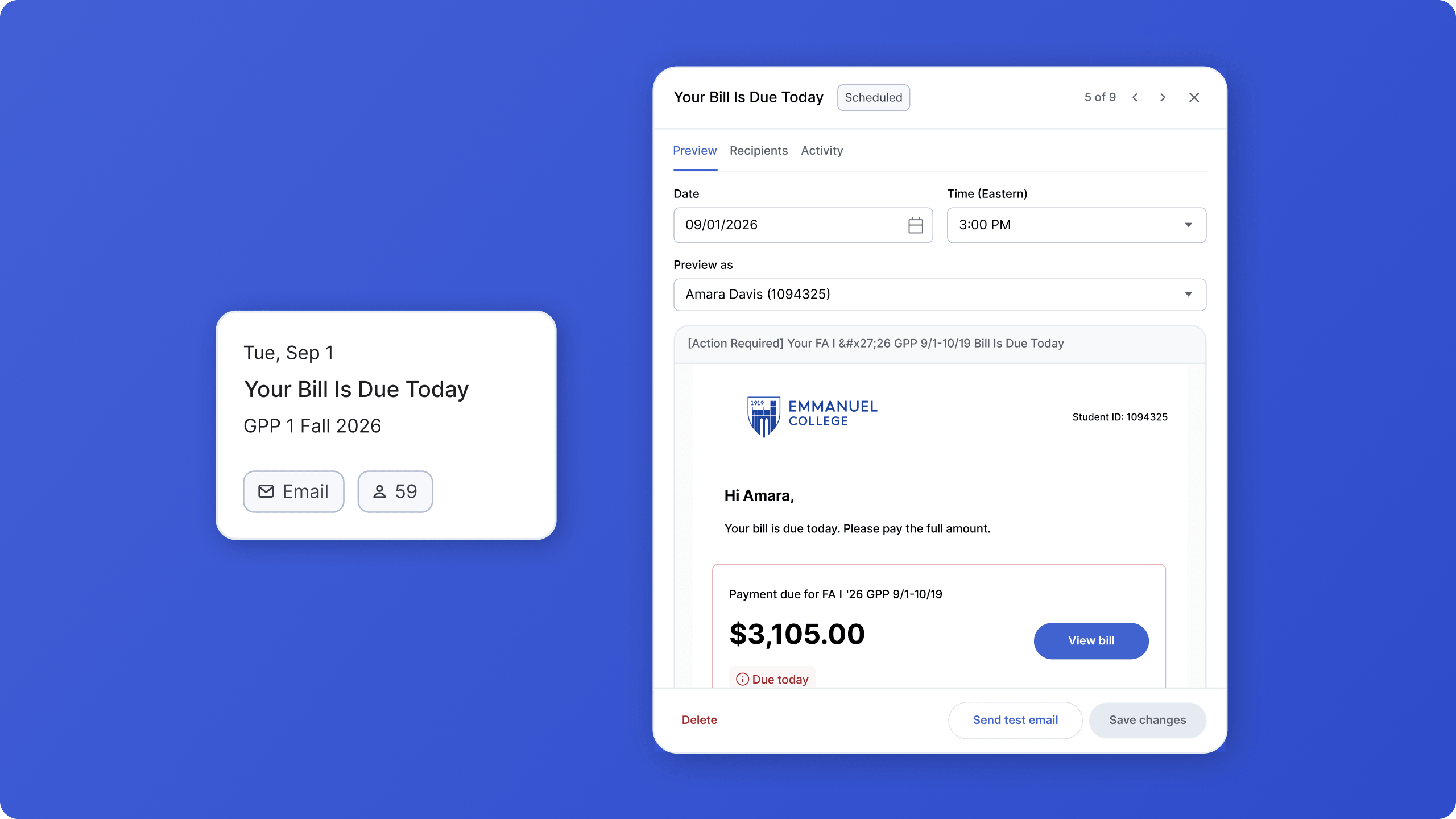
Reschedule a send. For future sends, the date and time are fully editable, so you can push a communication back or move it up as your billing timeline changes.
Pause communications when plans change. Turn communications on or off if your team needs more time to resolve an issue before the next message goes out.
See who changed what. Every edit is logged automatically, so you can see what changed, when it changed, and who made the update.
Preview the message, and the list of students receiving it
In the new experience, you can check exactly what students will see and exactly who will receive it.
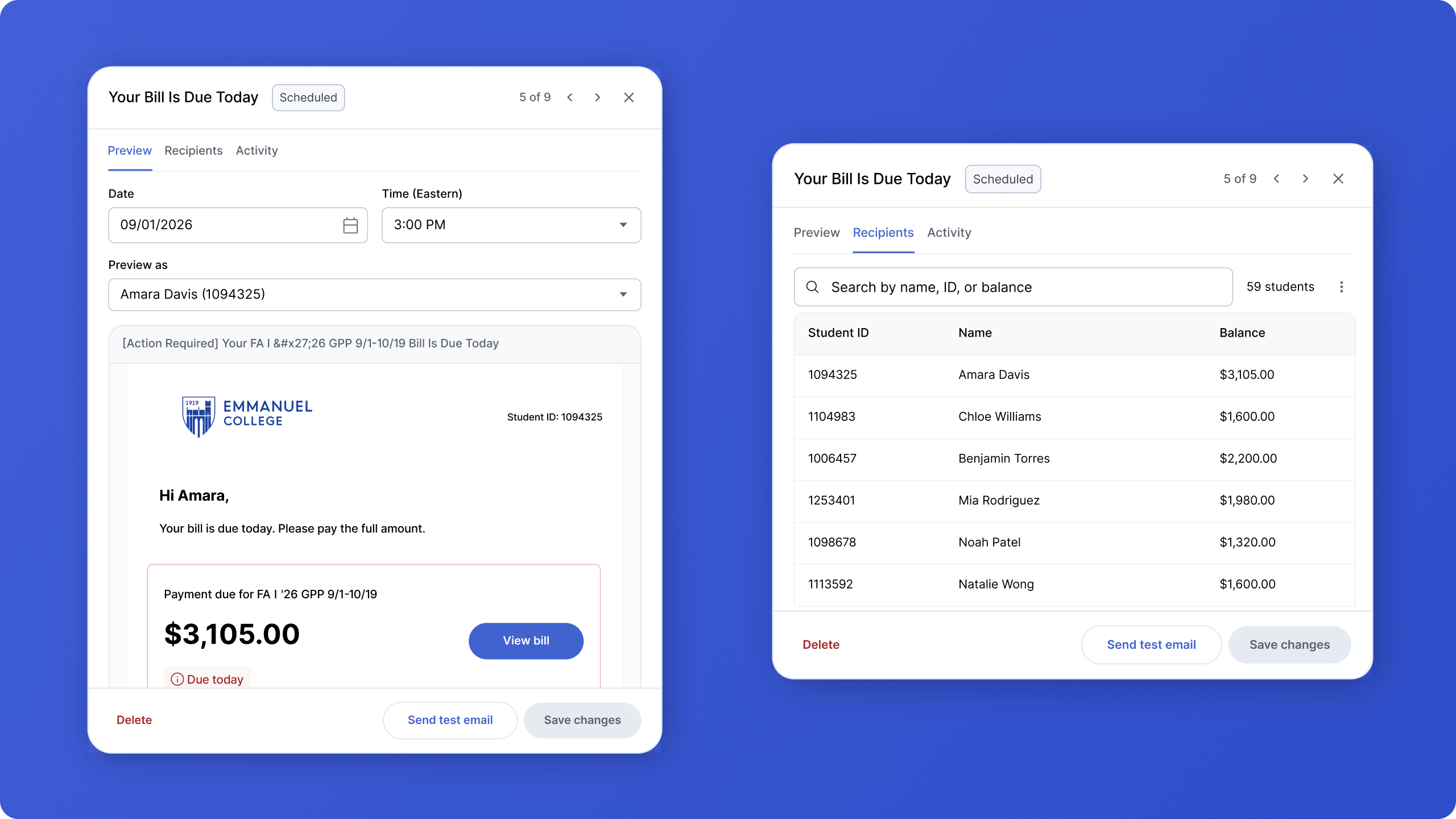
Preview the actual email. The student name and ID are anonymized, but the links, help center references, sign-off, address, and other content are pulled directly from the real template. You can also open links from the preview to check them before the send goes out.
Send yourself a test. Send a test copy to yourself to see exactly what the email or SMS will look like, using placeholder student information.
Check the recipient list. The recipients tab shows exactly who will receive the communication, along with each student’s current balance.
Override the list when you need to. If a communication needs to reach a more specific audience, admins can paste in their own list of student IDs. That makes it easier to handle school-specific rules or one-off sends without having to send a manual list to Meadow.
Student communications aren’t just another feature in Meadow, they’re a core part of how we help schools drive better payment outcomes and create a better student financial experience that students and admins alike can trust.
These updates give admins more control over that experience, while making it easier to deliver the clear, thoughtful communications Meadow is known for.
If you have any questions, reach out to your Customer Success Manager.
